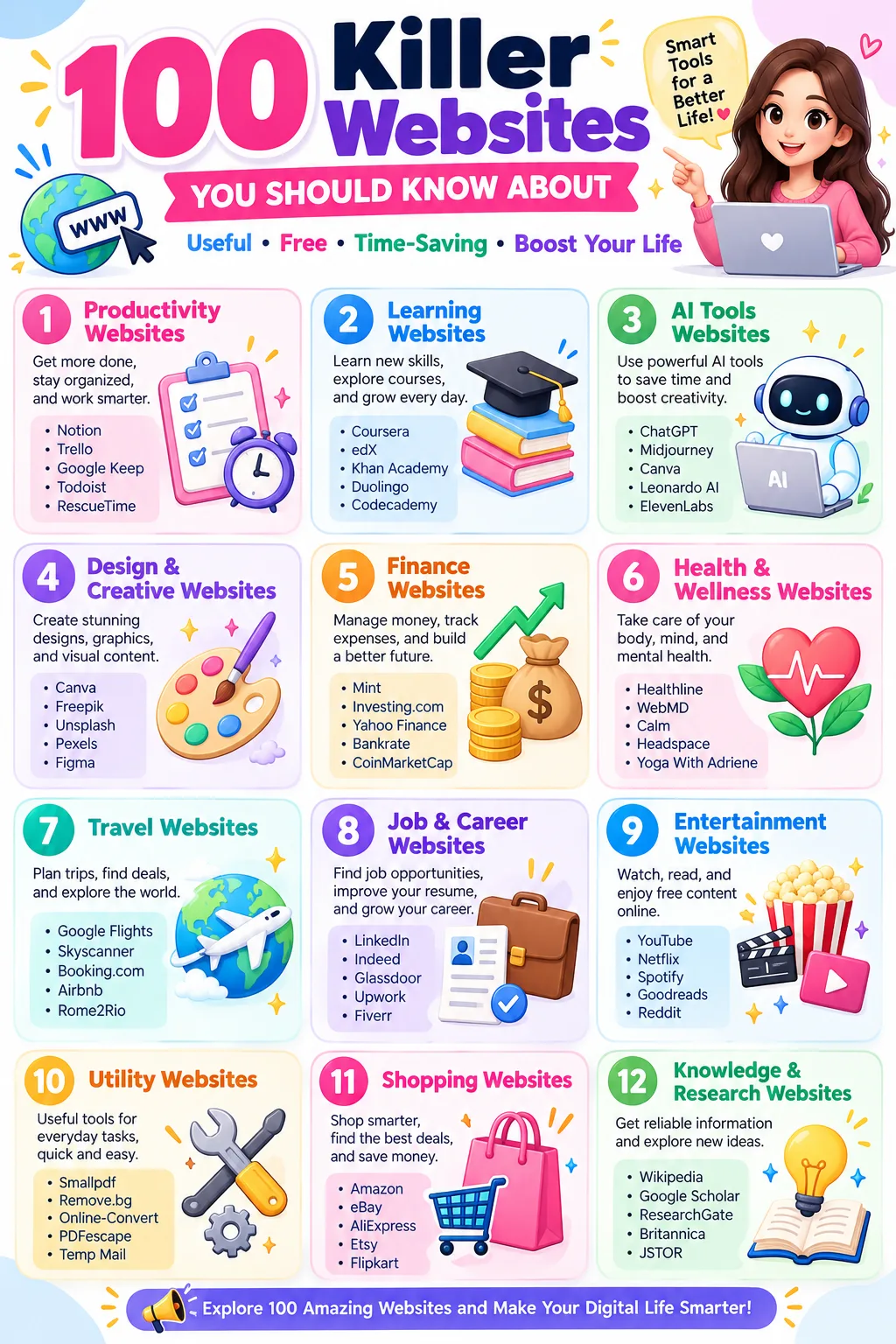
The internet is full of surprises! Seriously, there are millions of websites out there, but most of us keep visiting the same few every day. Google, YouTube, Instagram, Gmail… and that’s pretty much it!
But what if I told you there are websites that can help you edit photos without installing software, learn new skills for free, organize your work, explore space, protect your privacy, and even listen to radio stations from around the world?
Sounds interesting, right?
Well, that’s exactly what we’re going to explore!
I’ve put together a collection of 100 killer websites that are worth knowing about. Some are popular, some are hidden gems, and a few might make you wonder, “How did I not know about this before?”
Whether you’re a student, freelancer, business owner, content creator, or simply someone who enjoys discovering useful things online, you’ll find something interesting here.
And don’t worry! You don’t need to be a technology expert to use most of these websites. Many are beginner-friendly, and several offer useful features for free.
So, grab a cup of coffee, open a new browser tab, and get ready to discover some amazing corners of the internet!
What Makes a Website Worth Bookmarking?
Before we jump into the list, here’s something worth thinking about.
A great website doesn’t necessarily need millions of visitors, expensive subscriptions, or complicated features. Sometimes, the most useful website is the one that solves a small problem in just a few clicks!
For example, imagine you need to compress a large image before uploading it to your website. Instead of downloading complicated software, you could simply open Squoosh, upload your image, adjust the settings, and save the result.
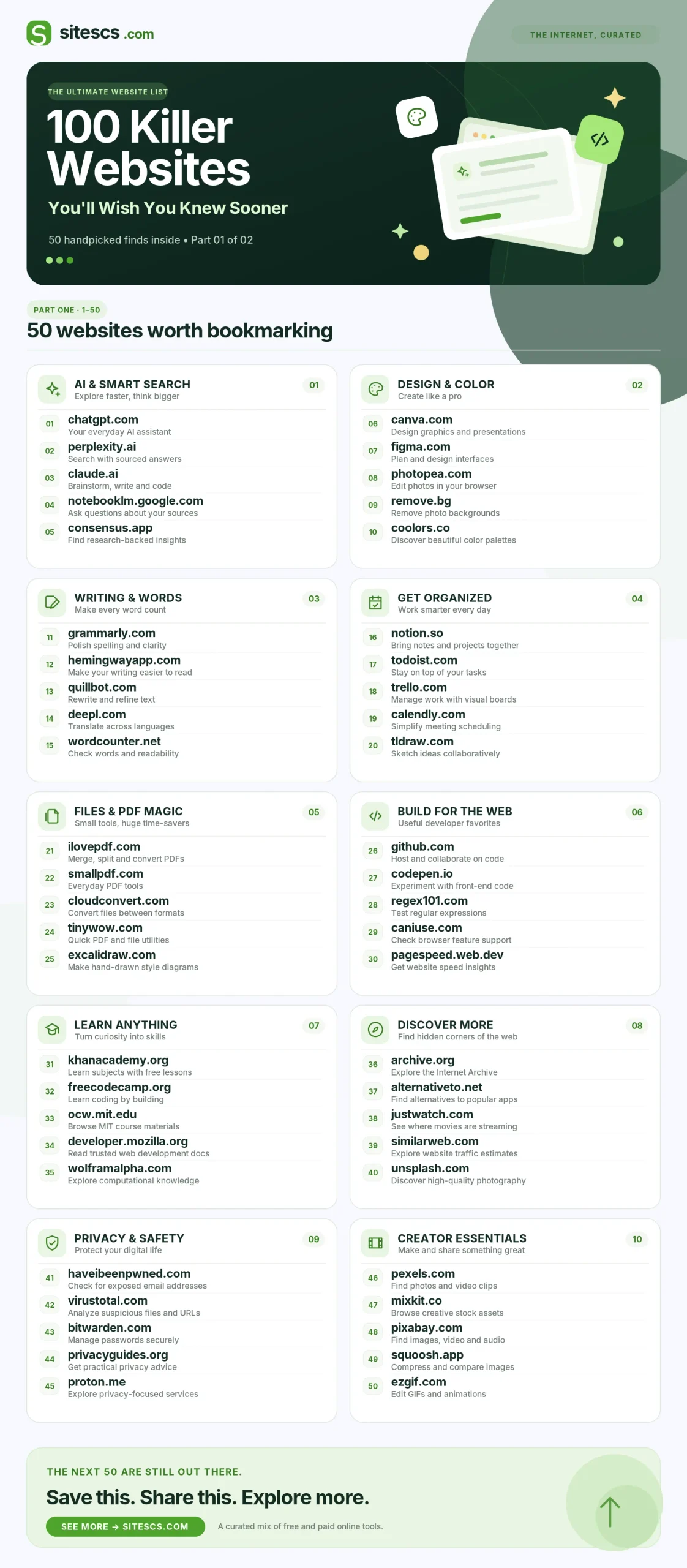
100 Killer Websites You’ll Wish You Knew Sooner
Here are 100 useful websites with their official links and one-line descriptions, organized into 10 categories.
1. AI Tools & Websites
- ChatGPT – Get help with writing, coding, learning, brainstorming, and solving everyday problems.
- Claude – Analyze long documents, improve your writing, and understand complex topics.
- Perplexity – Find answers to your questions with AI-powered search and supporting sources.
- NotebookLM – Turn PDFs, documents, and study notes into interactive learning resources.
- Gamma – Create beautiful presentations, documents, and visual content with AI.
- ElevenLabs – Convert written text into natural-sounding AI voices for videos and audio projects.
- Hugging Face – Discover, explore, and experiment with artificial intelligence models.
- Poe – Chat with different AI assistants and explore their capabilities in one place.
- Elicit – Find research papers and analyze academic information using AI.
- Goblin.tools – Break overwhelming tasks into simple, manageable steps.
2. Productivity & Organization
- Notion – Keep your notes, tasks, projects, and important information organized in one workspace.
- Trello – Plan projects and track progress using simple boards and task cards.
- Todoist – Create to-do lists, organize your schedule, and remember important deadlines.
- Excalidraw – Draw flowcharts, diagrams, and ideas on a simple digital whiteboard.
- Workflowy – Organize complicated ideas and plans into easy-to-follow lists.
- Raindrop.io – Save and organize your favorite websites so you can find them later.
- Pomofocus – Stay focused while studying or working with a simple productivity timer.
- Calendly – Let people book meetings with you without exchanging multiple messages.
- Tally – Create online forms, surveys, and questionnaires without complicated software.
- Miro – Brainstorm, plan projects, and collaborate with others on interactive whiteboards.
3. Education & Online Learning
- Khan Academy – Learn mathematics, science, economics, and other subjects through free lessons.
- MIT OpenCourseWare – Access free educational materials from courses taught at MIT.
- freeCodeCamp – Learn programming and web development by completing practical coding projects.
- edX – Explore online courses from universities and educational institutions.
- Coursera – Learn career-focused skills through courses and professional learning programs.
- OpenStax – Read free educational textbooks covering science, mathematics, and other subjects.
- Brilliant – Improve your mathematics, science, and logical thinking through interactive lessons.
- Duolingo – Learn and practice new languages through short, game-like exercises.
- Wolfram Alpha – Solve mathematical problems and explore scientific calculations.
- Internet Archive – Discover digital books, historical websites, recordings, and archived materials.
4. Design & Creative Tools
- Photopea – Edit photos, create graphics, and work with Photoshop files directly in your browser.
- Canva – Design posters, presentations, thumbnails, resumes, and social media graphics.
- Coolors – Generate attractive color combinations for websites, logos, and creative projects.
- Unsplash – Find high-quality photographs for websites, presentations, and creative work.
- Pexels – Discover stock photos and videos for personal and professional projects.
- Google Fonts – Explore free, open-source fonts to improve your website and graphic designs.
- Lucide – Find clean and modern icons for websites, applications, and dashboards.
- Penpot – Design website layouts, mobile app interfaces, and interactive prototypes.
- Spline – Create interactive 3D objects, animations, and visual experiences.
- SVG Repo – Find scalable icons and vector graphics for digital design projects.
5. Writing & Research
- Grammarly – Check spelling, grammar, punctuation, and writing clarity.
- Hemingway Editor – Make complicated sentences shorter, clearer, and easier to understand.
- LanguageTool – Find grammar and spelling mistakes in multiple languages.
- QuillBot – Rewrite sentences and explore better ways to express your ideas.
- Zotero – Save research materials, organize references, and create citations.
- Google Scholar – Search academic papers, research publications, and scholarly information.
- Semantic Scholar – Discover scientific papers and explore related research topics.
- PubMed – Find biomedical research papers and scientific publications.
- Our World in Data – Explore global statistics, research findings, and interactive charts.
- Google Trends – Discover trending topics and compare search interest over time.
6. PDF, File & Online Utilities
- TinyWow – Use online tools to edit PDFs, process images, and handle everyday file tasks.
- iLovePDF – Merge, split, compress, and convert PDF documents in a few clicks.
- PDF24 Tools – Access useful tools for editing, converting, and organizing PDF files.
- Squoosh – Reduce image file sizes while controlling image quality.
- CloudConvert – Convert documents, images, videos, and audio files into different formats.
- Convertio – Change file formats online without installing additional software.
- WeTransfer – Send large files to other people using online file transfers.
- PairDrop – Share files between phones, computers, and other devices through a browser.
- remove.bg – Automatically remove image backgrounds without complicated editing.
- draw.io – Create professional flowcharts, diagrams, and visual process maps.
7. Privacy & Cybersecurity
- Have I Been Pwned – Check whether your email address appears in known data breaches.
- VirusTotal – Analyze suspicious files and website links for potential security threats.
- Privacy Guides – Learn practical methods to protect your personal information online.
- Proton Mail – Send and receive emails using a privacy-focused email service.
- Bitwarden – Securely store, generate, and organize passwords for your online accounts.
- Mozilla Monitor – Discover whether your personal information appears in known data breaches.
- Cover Your Tracks – Understand how websites may track your browser activity.
- urlscan.io – Examine website behavior and investigate potentially suspicious links.
- SecurityHeaders.com – Check whether a website uses recommended HTTP security headers.
- Mozilla Observatory – Analyze website security settings and identify possible improvements.
8. Career, Jobs & Business
- LinkedIn – Build professional connections, showcase your experience, and explore job opportunities.
- Wellfound – Discover career opportunities at startups and growing technology companies.
- Remote OK – Search for remote jobs in programming, design, marketing, and other fields.
- We Work Remotely – Find remote employment opportunities offered by companies worldwide.
- Y Combinator – Explore startup resources and learn how entrepreneurs build businesses.
- Product Hunt – Discover newly launched applications, websites, and technology products.
- Indie Hackers – Learn from entrepreneurs who share their experiences building online businesses.
- Google Skillshop – Learn how to use Google advertising and business tools through training resources.
- HubSpot Academy – Develop marketing, sales, and customer service skills through online courses.
- O*NET OnLine – Research different careers, job responsibilities, and required professional skills.
9. Fun, Entertainment & Exploration
- Radio Garden – Listen to live radio stations from cities and countries around the world.
- Window Swap – Enjoy relaxing window views recorded by people in different locations.
- Neal.fun – Explore creative games, interactive experiments, and unusual internet experiences.
- A Soft Murmur – Mix relaxing sounds like rain, wind, and thunder to create a peaceful atmosphere.
- Stellarium Web – Explore stars, planets, and constellations using an interactive night-sky map.
- Google Arts & Culture – Discover famous artworks, museums, historical collections, and cultural exhibitions.
- GeoGuessr – Test your geography knowledge by guessing locations from street-level images.
- Earth Nullschool – Watch interactive visualizations of global winds and weather conditions.
- The Useless Web – Visit random, funny, and unusual websites for entertainment.
- Museum of Endangered Sounds – Listen to nostalgic sounds from old computers and forgotten technology.
10. Everyday Useful Websites
- AlternativeTo – Discover free, paid, and open-source alternatives to popular software.
- JustWatch – Find out where your favorite movies and television shows are available to stream.
- CamelCamelCamel – Check Amazon product price history and track prices in supported marketplaces.
- FlightAware – Track flights and check available flight status information.
- Rome2Rio – Explore travel routes and compare transportation options between destinations.
- Time.is – Check accurate local time information for cities around the world.
- World Time Buddy – Compare time zones and find convenient times for international meetings.
- Downdetector – Check whether users are reporting problems with popular websites and online services.
- Ninite – Install multiple popular Windows applications using one convenient installer.
- ManualsLib – Find instruction manuals and user guides for electronic devices and household appliances.
The internet is full of amazing tools, useful resources, and hidden gems. The interesting part? Many of us don’t even know they exist! From AI tools that make everyday tasks easier to educational platforms, creative websites, and productivity apps, there’s something here for almost everyone.
Of course, you don’t need to try all 100 websites today! Start with a few that match your interests, explore what they offer, and bookmark the ones you find genuinely useful. Sometimes, discovering just one good website can save you hours of work or help you learn something completely new.
And remember, the internet keeps changing! New websites appear, existing tools improve, and better alternatives become available. So, keep exploring, stay curious, and never stop discovering.
