Reverse DNS Lookup
Enter an IPv4 or IPv6 address to find its PTR hostname.
How Reverse DNS Lookup Works
A Reverse DNS Lookup works in the opposite direction of a normal DNS lookup. Instead of starting with a domain name and finding its IP address, you start with an IP address and try to discover the hostname connected to it.
For example, a normal DNS lookup might take example.com and return an IP address. A reverse DNS lookup starts with an address such as 8.8.8.8 and checks whether that IP has a hostname assigned through a special DNS record called a PTR record.
When you enter an IP address into the SITESCS Reverse DNS Lookup tool, the address is first converted into a special reverse-DNS format. The tool then sends a PTR query to the DNS system and displays the hostname if one is available.
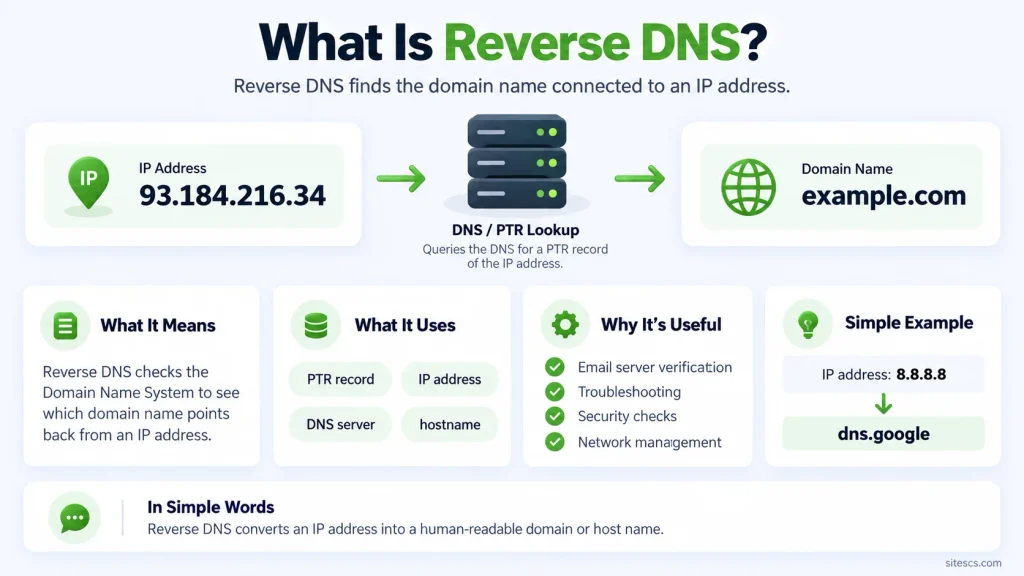
What Is Reverse DNS?
Reverse DNS, often shortened to rDNS, is a DNS process used to find the domain or hostname associated with an IP address. It is called “reverse” because it performs the opposite lookup from the one people normally use when opening a website.
A regular DNS request asks, “What IP address belongs to this domain?” Reverse DNS asks, “What hostname has been assigned to this IP address?” The answer depends on whether the owner of that IP range has configured reverse DNS correctly.
What Is a PTR Record?
A PTR record, or Pointer Record, is the DNS record used for reverse DNS lookups. It points an IP address back to a hostname, such as a mail server, hosting server, network gateway, or another system connected to the internet.
For example, an IP address may return a hostname similar to mail.example.com. If the IP has no PTR record, a reverse DNS lookup may return no hostname at all, and that can be completely normal.
Why Do Some IP Addresses Have No Reverse DNS?
Not every IP address needs a hostname, so many addresses do not have a PTR record. Home internet connections, mobile networks, temporary cloud addresses, and dynamically assigned IPs may have limited or generic reverse DNS information.
The PTR record is normally controlled by the organization that manages the IP address range, such as an ISP, hosting provider, or cloud company. Because of this, owning a domain does not automatically give you control over reverse DNS for the server IP.
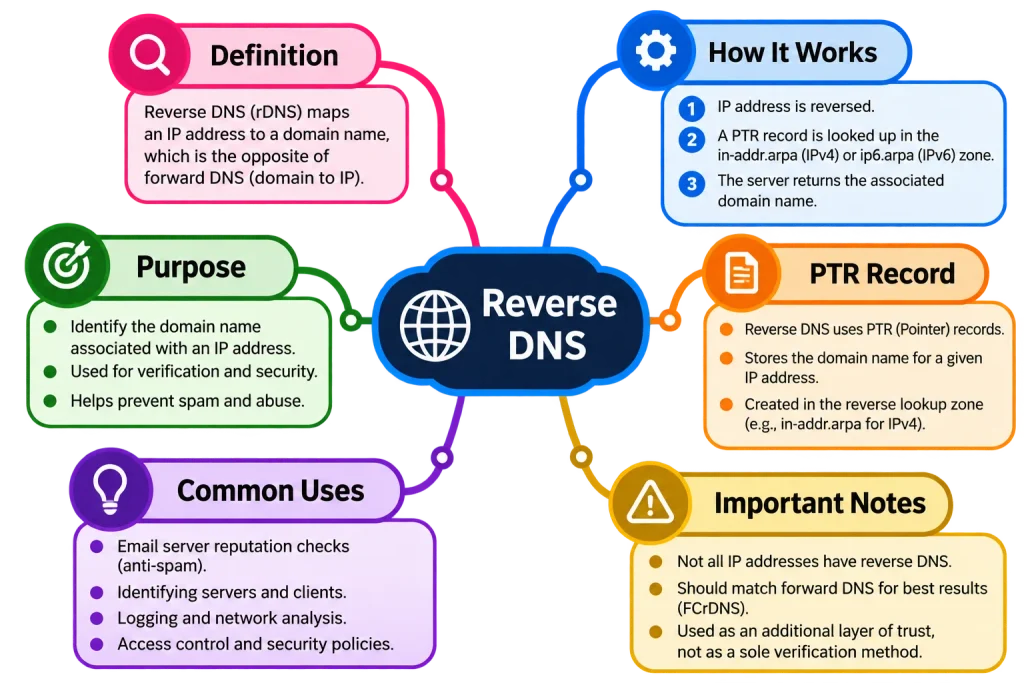
Why Is Reverse DNS Important?
Reverse DNS is commonly used for identifying servers and checking whether an IP address has a recognizable hostname. Network administrators may use it while troubleshooting connections, reviewing server logs, or trying to understand where certain traffic is coming from.
It is also particularly important for email infrastructure. Mail systems often check reverse DNS as one of several signals when deciding whether an incoming server appears properly configured.
Reverse DNS and Email Servers
If you run your own mail server, reverse DNS can be especially important. Many receiving mail systems expect the sending server’s IP address to have a valid PTR record that points to a sensible hostname.
A missing or poorly configured PTR record does not automatically mean email will be rejected, but it can contribute to delivery problems. Email reputation usually depends on several factors, including SPF, DKIM, DMARC, server reputation, and reverse DNS configuration.
Reverse DNS vs Forward DNS
Forward DNS starts with a hostname and finds an IP address. Reverse DNS starts with an IP address and looks for a hostname.
For example, a forward lookup could resolve server.example.com to 203.0.113.20. A reverse lookup could then check whether 203.0.113.20 points back to server.example.com through a PTR record.
These two results do not always have to match, although matching forward and reverse DNS can be useful for certain server and email configurations.
How IPv4 Reverse DNS Works
IPv4 reverse DNS uses a special DNS zone called in-addr.arpa. The IP address is reversed before the PTR lookup is performed.
For example, the IPv4 address:
8.8.8.8
is queried as:
8.8.8.8.in-addr.arpa
The DNS resolver then checks whether a PTR record exists for that reverse address.
How IPv6 Reverse DNS Works
IPv6 uses a similar system, but the process is longer because IPv6 addresses contain many more hexadecimal characters. IPv6 reverse DNS uses the ip6.arpa namespace.
The complete IPv6 address is expanded, each hexadecimal character is reversed, and dots are placed between the characters before the PTR query is sent. Your lookup tool handles this automatically, so users do not need to manually create the reverse format.
Can One IP Address Have Multiple PTR Records?
Technically, an IP address can return more than one PTR record, although this is not the most common setup. Some networks may use multiple hostnames for operational or infrastructure reasons.
If several PTR records are returned, a good reverse DNS lookup tool can display all of them rather than showing only the first result. This gives you a more complete view of the DNS configuration.
Does Reverse DNS Reveal the Website Hosted on an IP?
Not necessarily. A PTR hostname usually describes the server or network associated with the IP, but it does not automatically reveal every website hosted on that server.
Shared hosting servers can host hundreds of websites under the same IP address. The reverse DNS hostname may simply identify the hosting company’s server rather than any individual website.
Why Does the PTR Hostname Look Unfamiliar?
It is normal to see a hostname that looks completely different from the website you expected. Hosting companies, cloud providers, and ISPs often assign their own infrastructure hostnames to IP addresses.
For example, a website using a cloud platform may have a reverse hostname containing the cloud provider’s name or an internal server identifier. That does not mean the website is incorrectly configured.