How to Improve AI Prompts Step by Step

Who is this for: Indian professionals, students, and content creators looking to get better, faster, and more accurate results from tools like ChatGPT, Claude, and Gemini.
To improve AI prompts, you must be specific, provide context, assign a role, and state your desired output format. Instead of asking a vague question, give the AI a clear task with boundaries. This structured approach guarantees more accurate, highly relevant responses from any AI model.
Most people stare at a blank ChatGPT screen, type a vague five-word question, and get frustrated when the answer is generic or robotic. If you are using AI to draft client emails, prepare for competitive exams like the UPSC, or write code, bad prompts waste your precious time. You end up regenerating responses over and over, feeling like artificial intelligence is just overhyped.
But it absolutely does not have to be this way. In this guide, you will discover how to improve AI prompts step by step. We will cover proven frameworks that turn average inputs into high-quality, deeply personalized outputs. By the end of this read, you will know exactly how to talk to AI to get precisely what you need, on the very first try.
Table of Contents
- 1. The Core “RTCF” Framework
- 2. Give the AI a Persona (Role-Prompting)
- 3. Apply Few-Shot Prompting (Show, Don’t Just Tell)
- 4. Set Strict Formatting Rules
- 5. Tell the AI What NOT to Do (Negative Constraints)
- 6. What I Learned From Building Prompts for SEO and YouTube
- 7. Iterate and Refine Your Outputs
- Frequently Asked Questions (FAQ)
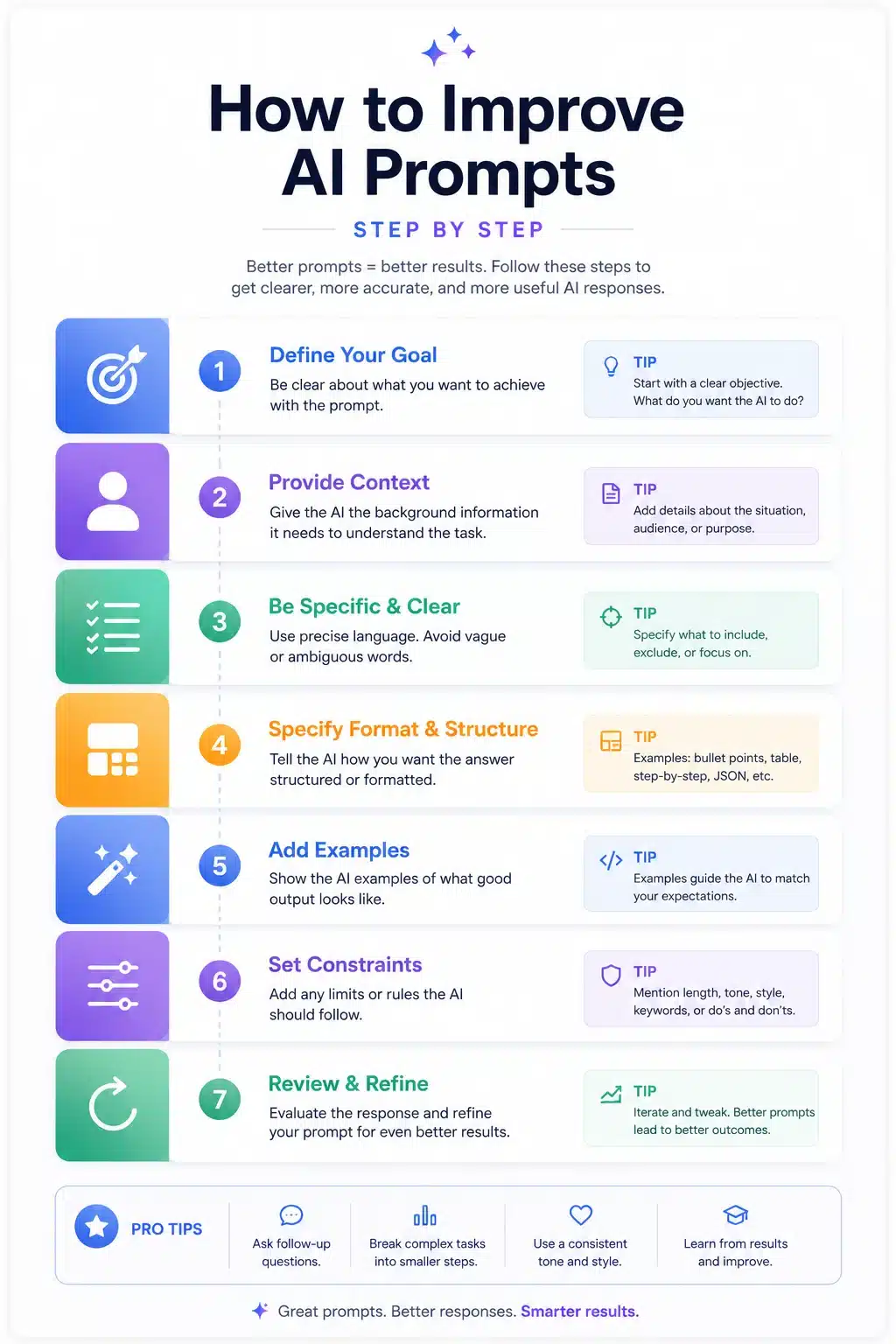
1. The Core “RTCF” Framework
Writing a solid prompt does not require a degree in computer science. You just need structure. The RTCF framework stands for Role, Task, Context, and Format. Using this simple checklist ensures the AI has every piece of information it needs to do the job right.
Imagine you want to start a small business. Asking “How do I start a business?” will give you a useless, generic list. Apply the RTCF method instead.
- Role: You are a local startup advisor in India.
- Task: Write a beginner-friendly business plan.
- Context: I want to start a microgreens business targeting local restaurants and health-conscious buyers. My initial budget is ₹10,000.
- Format: Present the plan in a bulleted list with clear cost breakdowns.
Krishna’s Note: Always give the AI constraints. If you give the AI total freedom, it will usually choose the most predictable, boring path. Constraints force creativity.
2. Give the AI a Persona (Role-Prompting)
Assigning a specific job title completely changes the vocabulary and tone of the AI’s response. This is sometimes called a System Prompt. A system prompt is an overarching instruction that sets the behavior, boundaries, and personality of the AI model before it answers your specific question.
If you need help analyzing data, tell the AI it is an SEO expert.
Example:
“Act as a technical SEO specialist. Analyze the following data from Google Search Console and tell me why my impressions are dropping despite stable rankings. Explain it to me as if I have basic digital marketing knowledge.”
By defining the persona, you prevent the AI from giving you beginner-level definitions when you actually need deep analysis.
→ Learn more in our guide to [ChatGPT Personas for Digital Marketers]
3. Apply Few-Shot Prompting (Show, Don’t Just Tell)
Sometimes, describing what you want is harder than simply showing an example. This brings us to Few-Shot Prompting.
Few-shot prompting is a technique where you provide the AI with 2 to 3 examples of the desired input and output within the prompt itself. This contrasts with Zero-Shot Prompting, where you ask a question without giving any examples at all. According to OpenAI’s Prompt Engineering Guide, providing examples is one of the most effective ways to dictate style and format.
Example for Language Practice:
“Act as an English language tutor. I want to build my vocabulary for a daily speaking practice routine at 7:00 PM.
Here are examples of how I want you to correct me:
User: ‘I goes to market yesterday.’
Tutor: ‘Incorrect. Use the past tense: I went to the market yesterday.‘
Now, let’s begin our session.”
Giving those reference points guarantees the AI understands exactly how to reply.
4. Set Strict Formatting Rules
You can waste hours manually reformatting AI text if you do not ask for the right structure upfront. Always tell the AI exactly how the output should look.
Do you need an email? A Markdown table? A script? Tell it clearly.
| Bad Formatting Request | Good Formatting Request |
| Give me some hiking tips. | Create a 3-day itinerary table for a hiking trip to Nepal, including daily altitudes and required gear. |
| Write an article about AI. | Write a 500-word article using H2 and H3 tags, short paragraphs, and a bulleted summary at the end. |
Specifying the layout ensures the content is ready to copy and paste into your website or presentation immediately.
5. Tell the AI What NOT to Do (Negative Constraints)
Knowing what to exclude is just as important as knowing what to include. AI models love to use overly dramatic words like “unlock,” “delve,” or “testament.” You can easily ban these words.
Adding negative constraints stops the AI from hallucinating or padding its answers with fluff.
Example Prompt:
“Write a 300-word introduction about local SEO.
Negative constraints:
- Do not use the words ‘delve’, ‘unlock’, or ‘game-changer’.
- Do not include a robotic concluding summary.
- Do not use complex jargon without explaining it.”
→ See our full list of [Negative Prompts for Cleaner AI Content]
6. What I Learned From Building Prompts for SEO and YouTube
When I first started running my YouTube channel and writing articles for sitescs.com, I struggled with AI tools. I would ask ChatGPT to write a video script, and it would spit out something that sounded like a dry corporate training video. It felt fake.
During my BCA studies, I learned that computers only do exactly what you tell them—garbage in, garbage out. I realized I was feeding the AI garbage instructions.
Everything changed when I started treating the AI like an intern rather than a mind-reader. For a recent short film project I was working on involving a voiceover story, I stopped asking for “a good script.” Instead, I provided the exact pacing, the target audience, and an example of the tone I wanted. I explicitly told it to avoid heavy dialogue since delivery can be tricky to film.
Taking the extra three minutes to write a highly detailed prompt saved me three hours of frustrating rewrites. The lesson? Spend more time preparing the input, and the output takes care of itself. Anthropic’s research on Claude confirms this: clear, unambiguous context drastically reduces AI errors and hallucinations.
7. Iterate and Refine Your Outputs
Your first prompt will rarely yield the perfect result. The true power of AI lies in iteration. Have a conversation with the tool to sculpt the text into shape.
If the first draft is too long, ask it to cut the word count in half. If the tone is too formal, ask it to rewrite the text like it is talking to a friend over coffee. You do not need to rewrite your entire initial prompt; just give follow-up commands to tweak the specific parts you do not like.
Pro Tip: If an AI gives you a great answer but misses one detail, don’t just complain. Say: “This is great, but rewrite paragraph 3 to include a mention of Google Search Console.”
Frequently Asked Questions (FAQ)
How do you write a good AI prompt?
To write a good AI prompt, clearly define the AI’s role, state the specific task, provide background context, and detail the exact format you want the answer in. Avoid vague instructions and always include examples if you need a specific style.
What are the 4 elements of a good prompt?
The four critical elements are Role (who the AI should act as), Task (what it needs to do), Context (background information and constraints), and Format (how the output should be structured, like a table or list).
How can I test if my AI prompt is working?
Test your prompt by running it in a new, blank chat window. If the AI asks clarifying questions or gives an answer that is completely off-topic, your prompt is too vague. A working prompt generates a near-perfect draft on the first try.
Does prompt engineering really matter?
Yes, prompt engineering matters significantly. Good prompts save hours of editing, prevent the AI from generating false information (hallucinations), and allow you to bypass the generic, robotic tone that plagues most AI-generated content online.
What is the biggest mistake when writing AI prompts?
The biggest mistake is lacking specificity. Users often write prompts that are too short and rely on the AI to guess their intent. Failing to provide constraints or define the target audience results in generic and unhelpful answers.
How do I improve ChatGPT prompts for coding?
For coding, always specify the programming language, the exact framework you are using, and the expected behavior of the code. Provide the current code snippet you have, and explicitly ask the AI to include comments explaining its logic.
Can I use the same prompt for Gemini and Claude?
While the core principles remain the same, different AI models react differently. Claude excels at following complex, multi-step instructions and analyzing large documents, while Gemini is excellent for tasks requiring real-time Google search data. You may need to slightly adjust your prompt’s formatting for each.


