Top 10 Best AI Tools for Architecture Design in 2026
Architecture is no longer driven only by sketches, CAD files, and manual revisions. In 2026, AI in architecture is transforming how architects plan, visualize, and deliver projects. From intelligent drafting assistants to photorealistic rendering engines, modern architecture AI tools are helping firms work faster while improving design precision.
Today’s AI design software can automate repetitive workflows, generate multiple design concepts in seconds, optimize BIM modeling, and even predict structural or environmental performance before construction begins. Tasks that once required hours of manual work — such as space planning, facade variations, lighting simulations, and visualization — can now be completed with remarkable speed and accuracy.
One major reason architects are rapidly adopting AI tools is productivity. Small studios and large firms alike are using AI-powered platforms to reduce project timelines, improve collaboration, and create more compelling client presentations. Advanced AI systems with larger context windows are also making a difference by understanding massive project datasets, zoning regulations, material specifications, and multi-layer architectural documents simultaneously.
As competition in the industry grows, architects are increasingly relying on intelligent automation not just for efficiency, but for creative exploration and smarter decision-making. The rise of architecture AI tools is reshaping the future of design itself.
What Are AI Tools for Architecture Design?
AI tools for architecture design are software platforms that use artificial intelligence, machine learning, and automation to improve architectural workflows. These tools help architects generate concepts, automate drafting tasks, create realistic visualizations, optimize floor plans, and manage complex BIM data more efficiently.
Unlike traditional software that depends heavily on manual input, modern AI-powered platforms can analyze design patterns, suggest improvements, and accelerate decision-making. This shift is changing how architects approach creativity, planning, and project execution.
How AI Is Changing Modern Architecture
AI is reshaping the entire AI architecture workflow by reducing repetitive work and allowing architects to focus more on innovation and problem-solving. Instead of spending days creating early-stage concepts, architects can now use generative design systems to produce multiple layout variations within minutes.
AI-assisted design tools are also improving smart building design by analyzing environmental factors such as sunlight, airflow, energy efficiency, and material usage. This leads to more sustainable and performance-driven architecture.
Another major advantage is smart automation. AI can automate manual drafting, detect design inconsistencies, optimize structural layouts, and streamline documentation processes. As a result, architectural teams can reduce errors, improve collaboration, and complete projects faster without sacrificing quality.
Types of AI Tools Used in Architecture
The architecture industry now uses several categories of AI-powered software, each designed for a specific workflow.
- AI rendering tools create photorealistic visualizations and faster scene generation.
- BIM AI software improves building information modeling with intelligent data analysis and coordination.
- AI floor plan generators help architects create optimized layouts based on spatial requirements.
- Visualization AI tools transform sketches into high-quality architectural presentations.
- CAD automation tools reduce repetitive drafting work and improve technical accuracy.
Together, these technologies are redefining how modern architectural projects are designed, visualized, and delivered.
Benefits of Using AI Tools in Architecture
Artificial intelligence is rapidly becoming an essential part of modern architectural workflows. What once seemed experimental is now helping firms improve efficiency, creativity, and project accuracy at every stage of design. From early planning to final presentations, AI-powered platforms are changing how architects work, collaborate, and deliver projects.
1. Faster Concept Development
One of the biggest advantages of AI in architecture is speed. Architects can now generate multiple design concepts within minutes instead of spending days refining early sketches manually. Modern generative design systems analyze project requirements, site conditions, spatial constraints, and user preferences to create intelligent layout suggestions automatically.
This dramatically improves the overall AI architecture workflow by allowing teams to experiment with more ideas in less time. Architects can quickly test alternatives, compare structural possibilities, and refine concepts through real-time iterations. As a result, creativity increases while deadlines become easier to manage.
2. Improved Visualization and Rendering
Architectural visualization AI tools are making client presentations far more immersive and realistic. AI-powered rendering engines can transform rough sketches or BIM models into photorealistic scenes with accurate lighting, textures, shadows, and environmental details.
Instead of waiting hours for high-quality renders, architects can now produce visual outputs much faster. This not only improves presentation quality but also helps teams identify design flaws earlier in the process. Faster rendering also allows for quick revisions during meetings, improving communication and decision-making.
3. Better Client Communication
AI tools help bridge the gap between technical design and client understanding. Interactive visualizations, AI-generated walkthroughs, and smart 3D simulations make it easier for clients to understand complex architectural ideas.
This improves transparency throughout the project lifecycle. Clients can provide feedback earlier, reducing misunderstandings and minimizing costly revisions later. AI-assisted planning tools also help architects explain material choices, sustainability performance, and spatial functionality more clearly.
4. Cost and Time Optimization
Architecture productivity tools powered by AI can significantly reduce operational costs and project timelines. Automated calculations, predictive analysis, and intelligent resource planning help firms avoid delays and improve project management.
AI systems can also detect clashes, design inconsistencies, and structural inefficiencies before construction begins. This reduces human error and prevents expensive corrections during later stages of development.
5. Automation of Repetitive Tasks
Architects often spend countless hours on repetitive drafting, documentation, annotations, and modeling updates. AI automation for architects eliminates much of this manual workload by automating routine technical tasks.
CAD automation tools, intelligent BIM assistants, and AI-powered documentation systems can handle repetitive edits with greater speed and consistency. This allows architects to focus more on creativity, innovation, and strategic design thinking rather than administrative work.
As AI technology continues evolving, architecture firms are increasingly using intelligent automation not only to improve productivity but also to deliver smarter, faster, and more accurate design solutions.
Top 10 Best AI Tools for Architecture Design
AI is transforming architecture faster than most firms expected. What started as simple automation has evolved into intelligent systems capable of generating concepts, optimizing floor plans, creating photorealistic renders, and improving BIM workflows. Whether you are an independent architect, interior designer, urban planner, or large architecture firm, the right AI tools can dramatically improve productivity and design quality.
Here are the top architecture AI tools shaping the industry in 2026.
1. Autodesk AI
Autodesk remains one of the strongest players in BIM AI and professional architectural workflows. Its AI-powered ecosystem, especially inside Revit and Autodesk Forma, helps architects automate repetitive tasks, improve modeling accuracy, and generate smarter building layouts.

Autodesk AI supports generative design, intelligent BIM coordination, clash detection, energy analysis, and automated documentation. Revit AI tools can analyze building constraints and generate optimized design options based on user-defined goals.
Features
- AI-assisted BIM modeling
- Generative building layouts
- Automated clash detection
- Smart documentation workflows
- Sustainability and performance analysis
Pros
- Industry-standard BIM ecosystem
- Excellent for large firms
- Strong collaboration tools
- Deep Revit integration
Cons
- Expensive for small studios
- Requires technical learning
- Heavy system requirements
Pricing Overview
Autodesk products typically use subscription pricing, with Revit and enterprise BIM solutions costing significantly more than lightweight AI tools.
Best Use Case
Best for professional architecture firms handling large-scale commercial, institutional, and infrastructure projects.
2. Midjourney
Midjourney has become one of the most popular tools for AI rendering architecture and conceptual visualization. Architects use it to create mood boards, facade ideas, futuristic interiors, and artistic design inspiration within seconds.

Unlike traditional rendering software, Midjourney focuses heavily on creativity and visual experimentation. It is especially useful during early-stage ideation when architects want rapid inspiration before technical modeling begins.
Features
- AI-generated architectural concepts
- Interior and exterior visualization
- Style experimentation
- Fast mood board creation
- Artistic rendering generation
Pros
- Extremely creative outputs
- Fast image generation
- Great for brainstorming
- Excellent visual quality
Cons
- Limited technical precision
- Not BIM-compatible
- Requires prompt engineering skills
Pricing Overview
Subscription-based pricing with multiple generation tiers depending on usage volume.
Best Use Case
Perfect for conceptual architects, presentation designers, and creative visualization teams.
3. TestFit
TestFit is designed specifically for AI site planning and rapid feasibility analysis. It helps architects, developers, and real estate teams evaluate land usage and generate building layouts automatically.
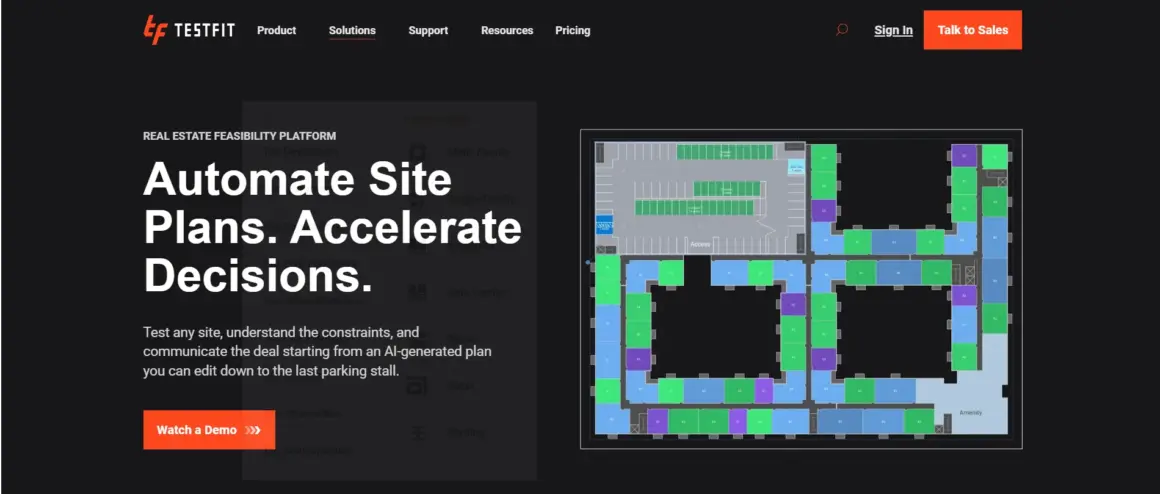
The software can quickly determine parking requirements, unit counts, building massing, and site efficiency. Instead of manually testing dozens of layouts, users can instantly generate optimized configurations.
Features
- Automated site planning
- Parking optimization
- Feasibility analysis
- Instant layout generation
- Real-time project calculations
Pros
- Massive time savings
- Excellent for developers
- Easy layout testing
- Fast early-stage analysis
Cons
- Primarily focused on feasibility
- Less useful for final visualization
- Specialized workflow
Pricing Overview
Professional subscription pricing aimed at architecture and real estate teams.
Best Use Case
Ideal for urban developers, housing projects, and commercial site feasibility studies.
4. Hypar
Hypar focuses on generative AI architecture and workflow automation. It allows architects and engineers to automate repetitive design logic using parametric systems and algorithmic workflows.

The platform is highly useful for firms that want scalable design automation across multiple projects. Instead of recreating repetitive design systems manually, teams can build reusable computational workflows.
Features
- Parametric AI design
- Workflow automation
- Computational design systems
- Generative building configurations
- Cloud collaboration tools
Pros
- Highly scalable
- Excellent automation capabilities
- Reduces repetitive design work
- Strong collaboration support
Cons
- Learning curve for beginners
- Better suited for advanced users
- Requires workflow planning
Pricing Overview
Enterprise-oriented pricing with custom workflow solutions.
Best Use Case
Best for advanced firms using computational and parametric design methodologies.
5. ArkDesign AI
ArkDesign AI specializes in AI floor plan generation and residential space optimization. The platform automatically creates floor plans based on room requirements, lot dimensions, and functional preferences.
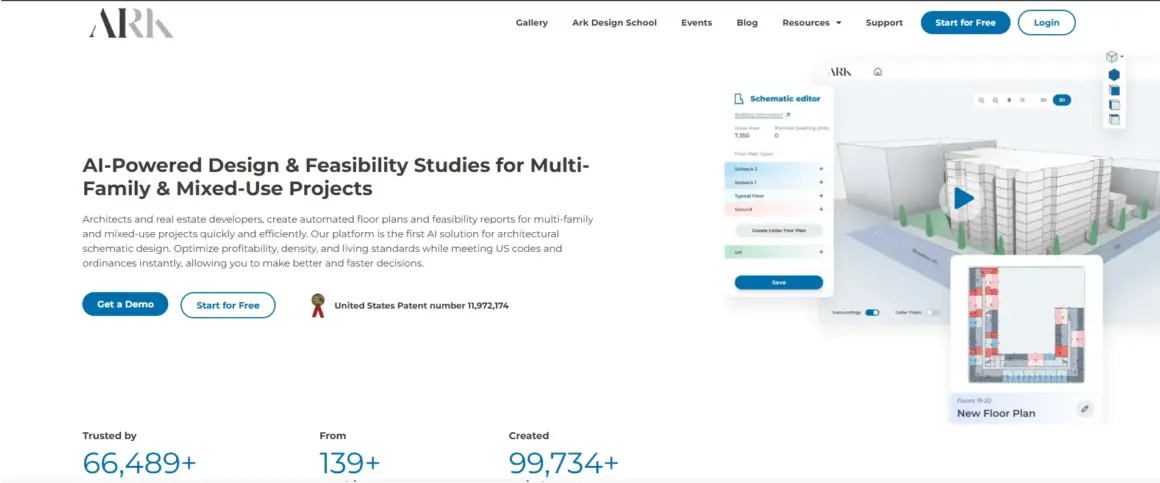
Architects and home designers use it to speed up residential planning while maintaining efficient space usage. The AI can suggest room arrangements, circulation improvements, and layout variations instantly.
Features
- AI home design generation
- Automated floor plans
- Space optimization
- Residential layout automation
- Quick room configuration
Pros
- Beginner-friendly
- Fast floor plan generation
- Useful for residential projects
- Reduces planning time
Cons
- Limited for large commercial projects
- Less customization than advanced BIM tools
- Focused mainly on housing layouts
Pricing Overview
Affordable subscription plans aimed at smaller studios and home designers.
Best Use Case
Perfect for residential architects, home planners, and interior layout designers.
6. Stable Diffusion
Stable Diffusion is an open-source AI visualization tool widely used for architecture rendering AI workflows. Unlike closed AI systems, it allows complete customization and model fine-tuning.
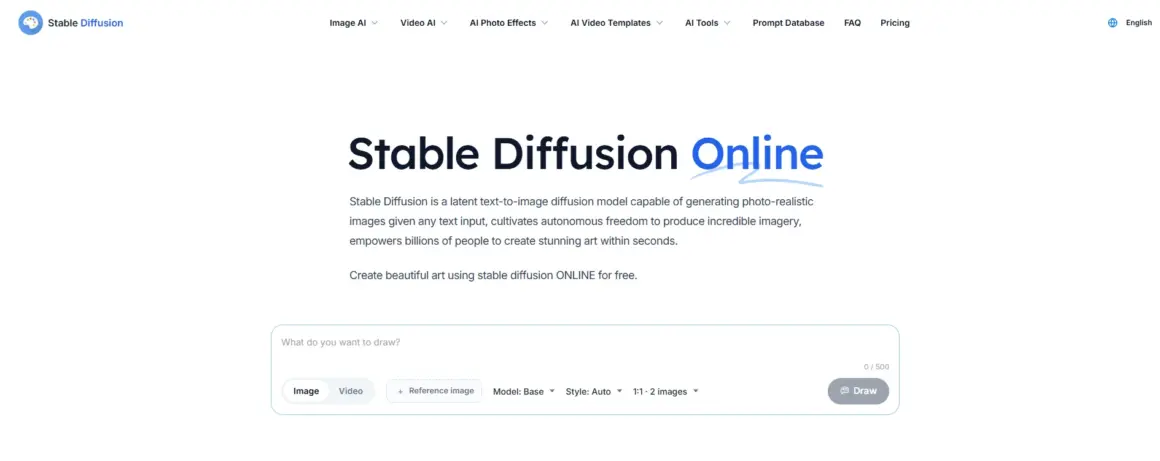
Architects can train custom visual styles, generate conceptual environments, experiment with futuristic structures, and create highly detailed renderings from text prompts or sketches.
Features
- Open-source AI rendering
- Custom model training
- Text-to-image generation
- Architectural style experimentation
- Advanced visualization workflows
Pros
- Highly customizable
- Free open-source ecosystem
- Strong community support
- Flexible rendering workflows
Cons
- Technical setup required
- Hardware-intensive
- Inconsistent outputs without optimization
Pricing Overview
Free core software with optional cloud computing costs.
Best Use Case
Ideal for AI enthusiasts, visualization experts, and experimental architecture studios.
7. Adobe Firefly
Adobe Firefly is becoming increasingly popular for architecture presentation AI and visual enhancement workflows. It helps architects create polished presentations, edit renders, enhance images, and generate visual assets quickly.

Design teams use Firefly to improve portfolio quality, create presentation graphics, and produce marketing visuals for clients and competitions.
Features
- AI image editing
- Generative fill
- Presentation graphics
- Text effects
- Render enhancement tools
Pros
- Easy to use
- Strong Adobe ecosystem integration
- Great for portfolios
- Excellent visual editing tools
Cons
- Not focused on BIM
- Limited architectural automation
- Mostly presentation-oriented
Pricing Overview
Included in Adobe Creative Cloud subscriptions with varying feature access.
Best Use Case
Best for architects focused on presentations, branding, and visual storytelling.
8. Spacemaker
Spacemaker, now integrated into Autodesk’s ecosystem, is one of the leading AI urban planning platforms available today. It helps architects optimize building placement using environmental analysis and urban data.

The platform analyzes wind, sunlight, noise, density, and energy efficiency to recommend better urban layouts. This allows architects to design more sustainable and livable environments.
Features
- AI urban planning
- Environmental simulations
- Site optimization
- Sunlight and wind analysis
- Density planning tools
Pros
- Strong sustainability focus
- Excellent urban analysis
- Faster site optimization
- Data-driven planning
Cons
- Specialized urban focus
- Enterprise-level pricing
- Less suitable for small projects
Pricing Overview
Typically integrated into Autodesk enterprise solutions.
Best Use Case
Ideal for smart city design AI workflows, urban planning firms, and large-scale developments.
9. Veras
Veras is an AI render plugin designed specifically for BIM visualization AI workflows. It connects directly with modeling software and transforms rough BIM models into realistic renders almost instantly.
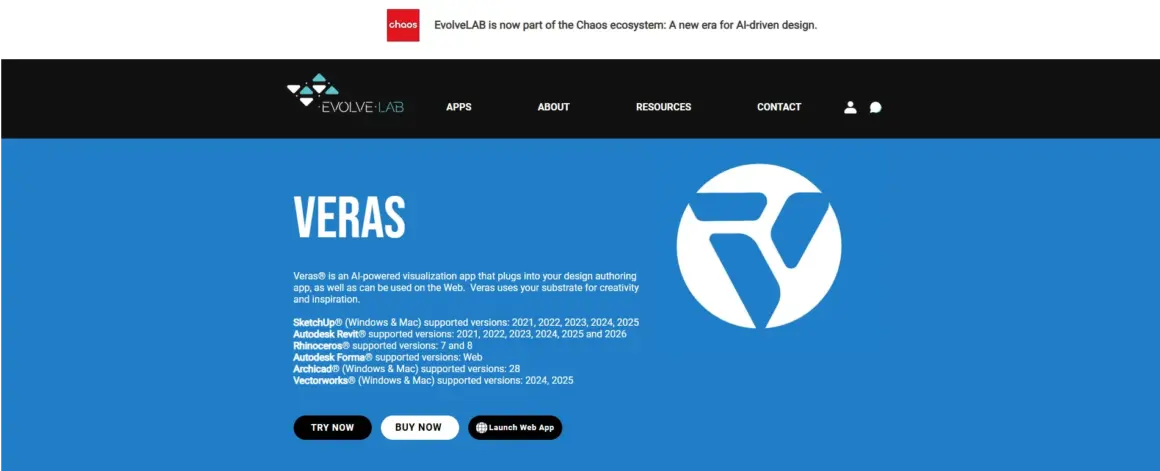
Architects can move from sketch-style concepts to polished visualizations without lengthy rendering pipelines. This makes Veras extremely useful during client meetings and iterative design sessions.
Features
- AI rendering for BIM
- Real-time visualization
- Sketch-to-render workflow
- Integration with major modeling platforms
- Fast concept rendering
Pros
- Extremely fast rendering
- BIM-focused workflow
- Great for presentations
- Easy iteration process
Cons
- Limited advanced editing
- Dependent on BIM platforms
- Subscription-based pricing
Pricing Overview
Monthly and professional subscription plans.
Best Use Case
Perfect for architects needing rapid visualization directly inside BIM workflows.
10. Planner 5D AI
Planner 5D AI is one of the most beginner-friendly tools for AI interior design and home architecture AI workflows. It allows users to create room layouts, furniture arrangements, and interior concepts with minimal technical expertise.
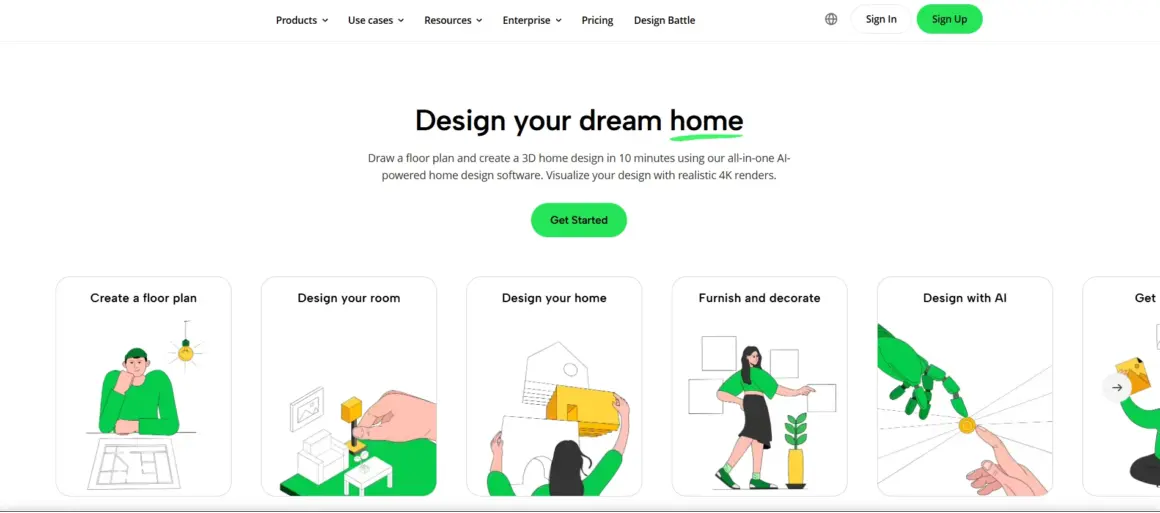
The platform is widely used by homeowners, interior designers, students, and small studios looking for fast visualization and planning tools.
Features
- AI room generation
- Interior visualization
- Drag-and-drop design tools
- Smart furniture layouts
- 2D and 3D planning
Pros
- Very easy to use
- Beginner-friendly interface
- Fast room planning
- Affordable pricing
Cons
- Limited professional BIM functionality
- Less advanced than enterprise tools
- Basic customization options
Pricing Overview
Freemium model with premium design features available through subscriptions.
Best Use Case
Best for beginners, interior designers, and quick residential visualization projects.
Comparison Table of the Best AI Tools for Architecture
Choosing the right architecture AI platform depends on your workflow, project scale, and technical requirements. Some tools focus on BIM automation, while others specialize in rendering, visualization, urban planning, or concept generation. The table below provides a quick comparison of the best architecture AI software available in 2026.
| Tool | Best Use Case | Key AI Feature | Pricing | Skill Level | Platform Support |
|---|---|---|---|---|---|
| Autodesk AI | Enterprise BIM workflows | Generative BIM automation | Premium subscription | Professional | Windows, Cloud |
| Midjourney | Concept visualization | AI-generated architectural art | Subscription-based | Beginner to Pro | Web, Discord |
| TestFit | Site feasibility planning | Automated layout generation | Professional pricing | Intermediate | Cloud |
| Hypar | Parametric workflows | Generative AI architecture | Enterprise pricing | Advanced | Cloud |
| ArkDesign AI | Residential floor planning | AI floor plan generator | Affordable subscription | Beginner | Web |
| Stable Diffusion | Experimental rendering | Open-source image generation | Free + compute costs | Advanced | Windows, Linux, Cloud |
| Adobe Firefly | Presentation enhancement | AI image editing | Adobe subscription | Beginner | Web, Desktop |
| Spacemaker | Urban planning analysis | Environmental AI simulation | Enterprise pricing | Professional | Cloud |
| Veras | BIM visualization | Real-time AI rendering | Subscription-based | Intermediate | BIM integrations |
| Planner 5D AI | Interior design | AI room generation | Freemium | Beginner | Web, Mobile |
This best architecture AI software comparison shows that no single platform fits every workflow. Large firms may prioritize BIM AI and workflow automation, while smaller studios often focus on visualization speed, affordability, and ease of use. The right tool depends on how AI fits into your architectural process.
How to Choose the Right AI Tool for Architecture
The growing number of AI-powered design platforms can make selection difficult, especially when each tool focuses on different parts of the architectural workflow. Some prioritize rendering, others automate BIM tasks, while newer systems focus on generative design and environmental optimization. Understanding your project needs is the best way to choose the right solution.
Based on Project Type
The type of architectural project you handle should strongly influence your software choice. Residential architects often benefit from AI floor plan generators and interior visualization tools like Planner 5D AI or ArkDesign AI because they simplify space planning and concept presentation.
Commercial and large-scale firms usually require more advanced BIM AI capabilities. Platforms like Autodesk AI and Veras work better for complex projects involving detailed documentation, coordination, and multidisciplinary collaboration.
Urban planners and infrastructure teams may prefer tools such as Spacemaker or TestFit because they focus heavily on environmental analysis, zoning, density optimization, and site feasibility studies.
When choosing AI architecture software, always prioritize tools designed for your primary workflow rather than selecting software with unnecessary features.
Based on Budget
Budget plays a major role in software selection. Enterprise-level AI platforms often include advanced automation, BIM integration, and collaboration systems, but they can be expensive for freelancers or small studios.
Independent architects and startups may prefer affordable subscription-based tools or open-source solutions like Stable Diffusion. These platforms still provide powerful AI-assisted design capabilities without requiring major infrastructure investment.
It is also important to consider long-term operational costs, including cloud rendering fees, plugin subscriptions, hardware requirements, and team licensing expenses.
A low-cost tool that slows down productivity may become more expensive over time than a premium platform that saves hundreds of work hours annually.
Based on Skill Level
Not every AI tool is beginner-friendly. Some systems are designed for experienced computational designers and BIM specialists, while others focus on simplicity and fast adoption.
Beginner architects generally benefit from intuitive platforms with visual interfaces and minimal technical setup. Midjourney, Planner 5D AI, and Adobe Firefly are popular because they allow users to generate professional-looking outputs quickly.
Advanced users may prefer parametric AI design systems such as Hypar or custom Stable Diffusion workflows that offer deeper control and automation flexibility.
Choosing software that matches your current technical skill level helps reduce training time and improves adoption across teams.
Based on Workflow Integration
One of the most overlooked factors is integration with existing workflows. AI tools should improve efficiency rather than disrupt your process.
Architects already using Revit, Rhino, Archicad, or BIM systems should prioritize software with strong compatibility and plugin support. Seamless integration allows AI-generated outputs to fit naturally into existing project pipelines.
Cloud-based platforms are ideal for remote collaboration and multi-office teams, while desktop-based tools may offer stronger local performance and customization.
Scalability also matters. A solo architect may only need lightweight visualization software today, but growing firms often require enterprise collaboration, automation, and AI-assisted planning features later.
The best AI tools for architects are ultimately the ones that align with both current workflows and future business growth.
Advanced AI Concepts in Modern Architecture Software
AI architecture tools are becoming far more advanced than simple rendering or drafting assistants. Modern systems now combine intelligent reasoning, contextual memory, document retrieval, and large-scale project analysis to support complex architectural workflows. These technologies are helping architects manage massive datasets, reduce design errors, and improve collaboration across entire project lifecycles.
What Are RAG Systems in AI Architecture Tools?
One of the most important developments in modern AI systems is Retrieval-Augmented Generation, commonly called RAG systems. Instead of relying only on pre-trained knowledge, these systems retrieve information from external project files, BIM databases, zoning documents, material specifications, and building regulations before generating responses.
In architecture, retrieval augmented generation dramatically improves design accuracy because the AI can reference real project data instead of making assumptions. For example, an architect working on a hospital project may ask the AI to generate space recommendations while considering fire safety regulations, accessibility codes, and HVAC requirements stored in project documents.
This creates a more context-aware workflow where AI becomes a design assistant rather than just a content generator. RAG systems are especially valuable in large firms handling thousands of drawings, technical documents, and compliance requirements simultaneously.
By connecting AI directly to project knowledge bases, architects can reduce research time, improve coordination, and minimize costly design inconsistencies.
Token Optimization for Large Architecture Projects
Large architecture projects generate enormous amounts of data. BIM models, CAD files, technical specifications, meeting notes, zoning documents, and engineering reports can easily exceed the processing limits of traditional AI systems.
This is where token optimization becomes essential.
Tokens represent chunks of information processed by AI models. The larger the project, the more tokens are required for contextual understanding. Without optimization, AI systems become slower, more expensive, and less accurate.
Modern architecture AI platforms now use context compression and intelligent memory management techniques to prioritize the most relevant information. Instead of loading entire BIM datasets into memory, the AI selectively retrieves the portions needed for a specific task.
For example, when reviewing structural layouts, the system may ignore unrelated landscaping details to improve AI memory efficiency and response speed.
Efficient token optimization allows architects to work with large projects while maintaining faster AI responses and lower computational costs. This becomes increasingly important as firms adopt AI-driven collaboration across multi-disciplinary teams.
Handling Large Context Windows in Architectural AI
One of the biggest breakthroughs in AI architecture software is the ability to handle large context windows. A context window refers to how much information an AI system can process and remember at one time.
Older AI models struggled with lengthy project discussions or large blueprint sets because they could only process limited amounts of information. Modern long context AI systems can now analyze multi-floor buildings, extensive BIM documentation, long meeting transcripts, and highly detailed architectural specifications simultaneously.
This capability is transforming architectural workflows.
For example, an AI assistant reviewing a skyscraper project can maintain awareness of floor layouts, structural systems, material schedules, sustainability targets, and zoning constraints across thousands of pages of documentation.
Handling large context windows also improves collaboration. Teams can conduct long project discussions with AI systems that retain earlier decisions, reducing repetitive explanations and improving consistency across revisions.
More importantly, AI contextual understanding allows architects to ask deeper analytical questions, such as identifying design conflicts between engineering systems and architectural layouts before construction begins.
As context windows continue expanding, AI systems will become significantly more useful for enterprise-scale architectural planning.
Solving Real AI Accuracy Problems in Design Workflows
Despite rapid progress, AI architecture software still faces real-world accuracy challenges. One of the biggest concerns is hallucination — when AI generates incorrect, misleading, or fabricated information confidently.
In architecture, even small errors can create serious problems. Incorrect dimensions, unrealistic structural suggestions, or inaccurate code interpretations can lead to project delays and financial risks.
Another challenge involves design inconsistency. AI-generated outputs may look visually impressive but fail to maintain engineering logic, construction feasibility, or regulatory compliance.
To solve these AI accuracy problems, modern architecture platforms increasingly use validation systems that cross-check outputs against BIM data, engineering rules, and building codes before presenting recommendations.
Human-AI collaboration is also becoming a critical part of reliable AI architecture tools. Instead of replacing architects, advanced systems act as intelligent assistants that accelerate workflows while still requiring human oversight and professional judgment.
Experienced architects remain essential for validating aesthetics, safety, structural feasibility, and contextual appropriateness.
The future of AI in architecture will likely depend less on full automation and more on intelligent collaboration between human creativity and machine-assisted precision.
Common Mistakes Architects Make When Using AI Tools
AI tools can dramatically improve productivity and creativity, but many architects still struggle to integrate them effectively into real-world workflows. Misusing AI systems often leads to poor design quality, workflow inefficiencies, and unrealistic expectations.
Over-Relying on AI Output
One of the most common AI mistakes in architecture is assuming AI-generated designs are automatically correct. While AI can generate impressive concepts and layouts quickly, it does not fully understand cultural context, structural engineering, user experience, or construction practicality.
Architects who blindly trust AI outputs risk creating designs that look visually attractive but fail in functionality or feasibility.
AI should support human creativity — not replace professional architectural judgment.
Ignoring Design Validation
Another major issue is skipping validation processes. AI-generated renders and layouts may contain hidden inconsistencies, inaccurate dimensions, or code compliance problems.
Without proper review, these mistakes can move into later project stages where corrections become expensive and time-consuming.
Successful firms combine AI-assisted planning with strong quality control systems, BIM verification, and human oversight to maintain accuracy throughout the workflow.
Poor Prompting
Many AI design workflow issues come from unclear instructions. AI tools perform best when prompts contain detailed requirements, style direction, spatial constraints, material preferences, and project goals.
Vague prompts usually produce generic or inconsistent outputs. Architects who learn prompt engineering techniques often achieve significantly better rendering quality, layout precision, and design relevance.
The quality of AI output heavily depends on the quality of input.
Choosing Tools Without BIM Compatibility
Some architects adopt AI software based only on visual quality without considering workflow integration. Tools lacking BIM or CAD compatibility often create disconnected processes that slow collaboration instead of improving it.
Before selecting software, firms should evaluate whether the AI platform integrates smoothly with existing modeling systems, documentation pipelines, and project management workflows.
The most effective AI architecture tools are the ones that enhance existing workflows rather than disrupt them.
Future of AI in Architecture Design
The future of AI architecture is moving far beyond simple automation. Over the next decade, AI systems are expected to become deeply integrated into every phase of architectural planning, design, construction, and urban development.
AI-Powered Smart Cities
AI is already influencing the development of smarter urban environments. Future smart city design AI systems will analyze traffic flow, energy usage, environmental impact, public transportation, and population density in real time.
Architects and urban planners will use these insights to create more sustainable, efficient, and livable cities. AI-driven environmental analysis could also help reduce pollution, improve resource management, and optimize infrastructure planning.
Autonomous Building Design
Future AI systems may eventually generate complete building concepts automatically based on user requirements, zoning laws, sustainability goals, and budget constraints.
Instead of manually producing every design variation, architects could supervise autonomous design engines capable of generating optimized structures within minutes.
While full automation is still far away, early versions of autonomous building design are already emerging through generative AI architecture platforms.
AI + BIM Integration
The integration between AI and BIM will likely become one of the most important developments in the industry. AI-powered BIM systems could automatically detect conflicts, optimize construction sequencing, manage documentation updates, and predict project risks before they occur.
This deeper integration will improve collaboration between architects, engineers, contractors, and clients while reducing project delays and human error.
AI-driven BIM workflows may eventually become standard practice across large architecture firms.
Real-Time Generative Architecture
Future design software may allow architects to modify buildings in real time while AI instantly recalculates structure, sustainability performance, lighting conditions, and cost implications.
This would create highly interactive design environments where architects can explore hundreds of possibilities dynamically instead of relying on slow manual revisions.
Real-time generative architecture could dramatically accelerate creativity while improving decision-making accuracy.
As AI smart building technology continues evolving, architecture will become increasingly data-driven, adaptive, and collaborative. However, human creativity, cultural understanding, and ethical decision-making will remain central to the profession.
Summary
AI is rapidly transforming the architecture industry by improving productivity, visualization, planning accuracy, and workflow automation. From BIM-powered enterprise platforms like Autodesk AI to creative visualization tools such as Midjourney and Stable Diffusion, architects now have access to powerful technologies that can accelerate nearly every stage of the design process.
For beginners and smaller studios, tools like Planner 5D AI, Adobe Firefly, and ArkDesign AI offer accessible ways to improve concept development and presentations without requiring advanced technical expertise. Larger firms handling complex projects often benefit more from BIM AI systems, generative design platforms, and workflow automation tools like Autodesk AI, Hypar, Veras, and Spacemaker.
Choosing the best AI tools for architecture depends heavily on project type, workflow integration, budget, scalability, and BIM compatibility. The most successful firms are not simply adopting AI for trend purposes — they are integrating intelligent systems strategically to improve collaboration, reduce repetitive work, and enhance design quality.
Frequently Asked Questions (FAQ)
What is the best AI tool for architecture design?
The best AI tool for architecture design depends on your workflow and project requirements. For professional BIM-based architecture firms, Autodesk AI is often considered the strongest option because of its deep Revit integration, generative design features, and advanced BIM AI capabilities.
For conceptual visualization and creative ideation, Midjourney and Stable Diffusion are extremely popular among architects. If your focus is residential planning or interior layouts, tools like Planner 5D AI and ArkDesign AI may be more suitable.
There is no single perfect platform for every architect. The best AI tools for architecture are usually the ones that integrate smoothly into your existing workflow while improving productivity and design accuracy.
Can AI replace architects?
No, AI cannot fully replace architects. AI tools are excellent at automating repetitive tasks, generating design options, accelerating rendering workflows, and analyzing project data. However, architecture involves creativity, cultural understanding, human behavior, sustainability considerations, and real-world decision-making that still require professional expertise.
AI works best as a collaborative assistant rather than a replacement. Human architects remain essential for client communication, ethical decisions, structural reasoning, design storytelling, and final project validation.
The future of architecture will likely involve strong human-AI collaboration rather than complete automation.
Which AI tool is best for architectural rendering?
Several AI rendering architecture tools are currently leading the industry.
- Midjourney is widely used for artistic architectural concepts and mood boards.
- Veras is excellent for BIM visualization AI and real-time rendering workflows.
- Stable Diffusion offers highly customizable architecture rendering AI workflows for advanced users.
- Adobe Firefly works well for enhancing presentation graphics and visual assets.
The best choice depends on whether you need conceptual creativity, BIM integration, photorealistic visualization, or presentation enhancement.
Are AI architecture tools expensive?
AI architecture software ranges from free open-source tools to enterprise-level subscription platforms.
Tools like Stable Diffusion can be used at low cost if you have sufficient hardware, while platforms such as Autodesk AI, Hypar, and Spacemaker are designed for professional firms with larger budgets.
Many beginner-friendly tools use freemium or affordable subscription models, making AI increasingly accessible for freelancers, students, and smaller architecture studios.
When evaluating pricing, architects should also consider productivity gains, reduced rendering time, automation benefits, and workflow efficiency improvements.
What is generative AI in architecture?
Generative AI in architecture refers to systems that automatically generate design concepts, layouts, forms, or building configurations based on defined goals and constraints.
Instead of manually creating every variation, architects can input project requirements such as site dimensions, lighting goals, circulation needs, or sustainability targets. The AI then produces multiple optimized design possibilities.
Generative AI architecture tools are commonly used for floor planning, urban layouts, facade exploration, structural optimization, and conceptual experimentation.
This approach helps architects explore more ideas faster while improving design efficiency.
How do RAG systems improve architecture AI tools?
RAG systems, or Retrieval-Augmented Generation systems, improve architecture AI tools by allowing them to access external project data before generating responses.
Instead of relying only on pre-trained knowledge, the AI retrieves information from BIM files, building codes, project documents, zoning regulations, and technical specifications in real time.
This improves design accuracy, reduces hallucination problems, and creates more reliable AI-assisted planning workflows.
For large architecture firms, retrieval augmented generation systems can dramatically improve document analysis, project coordination, and contextual understanding across complex developments.
Why is token optimization important in architecture AI?
Architecture projects involve massive amounts of information, including BIM models, CAD files, technical drawings, meeting notes, and engineering reports. AI systems process this information using tokens.
Without token optimization, AI models can become slow, expensive, and less accurate when handling large projects.
Modern AI architecture platforms use context compression and intelligent retrieval systems to improve AI memory efficiency and maintain fast responses even when analyzing complex datasets.
Efficient token optimization is especially important for long-context AI systems managing enterprise-scale architectural workflows.
Which AI tools work with BIM software?
Several modern AI tools integrate directly with BIM software and architectural modeling platforms.
Some of the most popular BIM-compatible AI tools include:
- Autodesk AI
- Veras
- Hypar
- Spacemaker
- TestFit
These platforms support workflows connected to Revit, Rhino, Archicad, and other BIM ecosystems. BIM integration is important because it allows architects to automate workflows, improve coordination, and maintain consistent project documentation across teams.
For firms handling large projects, choosing AI tools with strong BIM compatibility is often more important than selecting standalone visualization software.
External References