
Have you ever asked on Google a question and received an answer that wasn’t quite what you expected? Maybe the explanation was too complicated, the response was too long, or the AI simply didn’t understand what you wanted.
Well, here’s something interesting! Sometimes, the problem isn’t the AI tool itself. It’s the way we write our instructions.
Imagine asking someone, “Write something about computers.” What should they write? A definition? A history lesson? A buying guide? It’s difficult to know because the instruction isn’t clear.
The same thing can happen when we communicate with artificial intelligence.
That’s where the RTF Framework in Prompt Engineering comes in. It’s a simple technique that helps you write clear, organized instructions for AI tools like ChatGPT, Claude and Deepseek etc.
And the best part? You don’t need programming skills or technical knowledge to understand it!
Conclusion
The RTF Framework in Prompt Engineering is one of the simplest ways to start writing more organized AI prompts.
Just remember three things: Role tells the AI who to act as, Task explains what to do, and Format describes how the answer should look.
You don’t need to write complicated instructions or learn programming to get started. Choose a familiar task, create your first RTF prompt, and see how the response compares with a basic instruction.
And if the first answer isn’t perfect? Improve your prompt and try again. That’s part of becoming better at prompt engineering!
What Is the RTF Framework in Prompt Engineering?
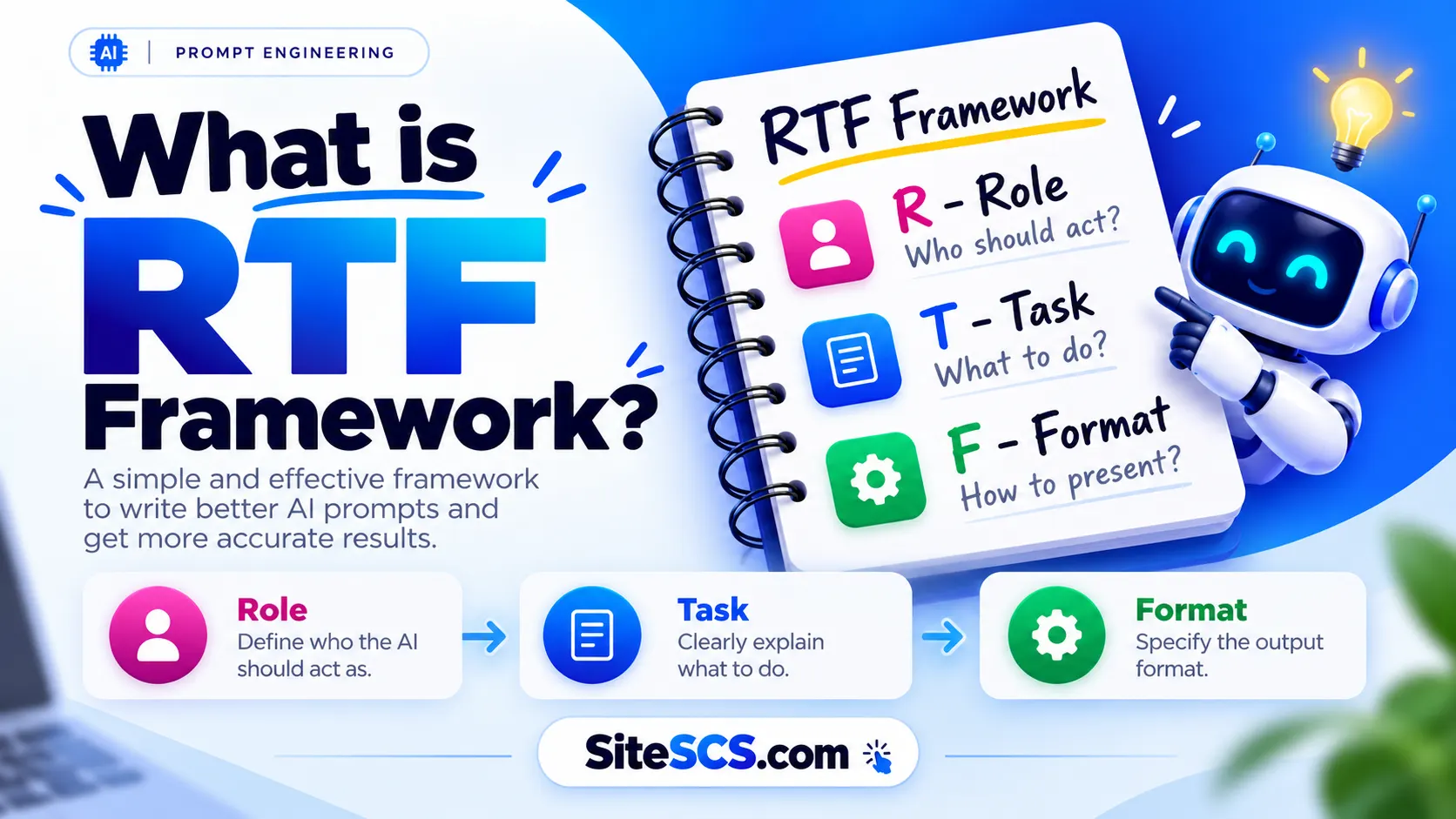
The RTF Framework is a prompt-writing technique that organizes your instructions into three important parts: Role, Task, and Format.
Instead of asking AI a random question and hoping for a useful answer, you explain who the AI should act as, what it needs to do, and how you want the result presented.
Think of it as giving instructions to a new employee. If you explain the job clearly, the employee has a better chance of understanding what you expect.
The RTF framework works on a similar principle.
What Does RTF Stand For?
RTF stands for:
- R — Role: Tell the AI who it should act as.
- T — Task: Explain what you want the AI to do.
- F — Format: Describe how the final answer should look.
These three elements work together to make your instructions more specific and easier for AI to follow.
Simple Example of an RTF Prompt
Let’s say you want to understand how rain forms.
Normal prompt:
“Explain rain.”
RTF prompt:
“Act as a science teacher. Explain how rain forms to a Class 10 student using simple English. Present the explanation in five numbered points.”
See the difference?
The second prompt tells the AI what kind of explanation you need, who the explanation is for, and how it should be organized.
Visual suggestion: Add an original infographic titled “RTF Framework Explained” showing Role → Task → Format, with one simple example for each component.
Why Is the RTF Framework Important for AI Prompts?
AI tools can answer questions, write articles, explain difficult subjects, generate code, and help with everyday tasks. However, they don’t automatically know your exact expectations.
For example, if you ask ChatGPT to “write about digital marketing,” it might produce a general explanation. But perhaps you wanted a beginner’s guide with practical examples.
Without enough information, the AI has to make assumptions.
The RTF framework helps reduce this confusion.
2Benefits of Using the RTF Framework
1. Makes your instructions clearer
You can explain exactly what you want instead of leaving the AI to guess.
2. Helps produce more relevant answers
When you mention the audience, purpose, and task, the response is more likely to match your needs.
3. Improves the organization of responses
You can request tables, bullet points, numbered steps, or short paragraphs.
4. Saves time when refining prompts
Clear instructions may reduce the number of follow-up messages needed to get a useful result.
5. Works for different types of tasks
You can use RTF for studying, writing, programming, business planning, and many other activities.
Normal Prompt vs. RTF Prompt
Let’s compare two instructions.
| Normal Prompt | RTF Prompt |
|---|---|
| Write about cybersecurity. | Act as a cybersecurity teacher. Explain five online safety tips for beginners. Present the answer in a numbered list. |
| Teach me Excel. | Act as an Excel instructor. Explain how to use the SUM formula with three simple examples. |
| Help me prepare for an interview. | Act as an HR interviewer. Ask me five beginner-level interview questions, one at a time. |
Notice something? The RTF prompts don’t necessarily use difficult words. They simply provide better instructions.
Of course, a well-structured prompt doesn’t guarantee that every AI answer will be correct. You should still check important information.
Visual suggestion: Add a side-by-side comparison graphic showing a vague prompt on the left and an improved RTF prompt on the right.
Understanding the Three Components of RTF
Before writing your first RTF prompt, it’s important to understand how each component works.
Don’t worry! These concepts are easier than they sound.
Role — Tell AI Who It Should Act As
The Role tells the AI what perspective or type of expertise it should use when answering your question.
For example, imagine you’re learning mathematics.
You could write:
“Act as a mathematics teacher.”
This instruction suggests that the AI should explain the subject like a teacher rather than simply providing a short answer.
Other useful roles include:
- English grammar teacher
- Professional content writer
- Python programming instructor
- Career adviser
- Customer support assistant
- Digital marketing specialist
Choose a role that matches your task. However, remember that assigning an expert role doesn’t give AI real qualifications or guarantee expert-level accuracy.
Task — Explain Exactly What You Want
The Task is the most important part of your instruction because it describes what the AI should actually do.
For example:
“Teach me Microsoft Excel.”
That’s understandable, but it’s quite broad. Excel contains hundreds of features!
A more specific task would be:
“Explain how to use the SUM formula in Microsoft Excel, including three examples for beginners.”
Now the AI has a clear subject, audience, and objective.
When writing a task, think about what you want to learn, create, solve, or understand.
Format — Decide How the Answer Should Look
The Format tells the AI how to organize its response.
For example, you might request:
- A numbered step-by-step guide.
- A comparison table.
- Five short bullet points.
- A professional email.
- A checklist.
- A short explanation with examples.
Suppose you’re comparing Windows 10 and Windows 11.
Instead of receiving several long paragraphs, you could ask the AI to present the differences in a table.
This makes the information easier to scan and compare.
Remember: Role provides the perspective, Task explains the job, and Format determines the presentation.
Visual suggestion: Create a three-column chart comparing Role, Task, and Format, with their meanings and practical examples.
How to Use the RTF Framework Step by Step
Now that you understand the three components, let’s create an RTF prompt from scratch.
For this example, imagine you’re a student who wants to learn about computer hardware.
Step 1 — Choose the Right Role
First, decide who you want the AI to act as.
Since you’re learning about computers, a computer science teacher would be a suitable choice.
Write:
“Act as a computer science teacher.”
You have now completed the Role part.
Step 2 — Write a Clear and Specific Task
Next, explain what you want to learn.
Instead of writing “Teach me computers,” choose a specific topic.
For example:
“Explain the difference between RAM and ROM to a beginner.”
This tells the AI exactly what subject to cover.
You can also add details about the audience, difficulty level, or purpose.
Step 3 — Select Your Preferred Output Format
Now decide how you want the information presented.
For example:
“Present the differences in a simple comparison table and include two everyday examples.”
This instruction helps the AI organize the explanation.
Step 4 — Combine Everything Into One Prompt
Finally, combine all three elements.
Complete RTF prompt:
Act as a computer science teacher. Explain the difference between RAM and ROM to a beginner using simple English. Present the differences in a comparison table and include two real-life examples.
That’s it! You’ve created your first RTF prompt.
You can use the same method for almost any subject.
Reusable RTF Prompt Template
Copy this template and replace the information inside the brackets.
Role:
Act as a [specific expert or helpful assistant].

Task:
[Describe exactly what you want the AI to do,
including your goal and target audience].

Format:
Present the answer as [your preferred format],
using [any additional instructions].
After receiving the response, read it carefully. If something is missing, ask the AI to improve that specific part.
Visual suggestion: Add a flowchart showing Choose Role → Define Task → Select Format → Generate Response → Review and Improve.
Best RTF Framework Prompt Examples for Beginners
One of the easiest ways to learn prompt engineering is by practicing with real examples.
Here are five RTF prompts you can copy, customize, and use with AI assistants.
RTF Prompt for Students
Suppose you’re studying biology and want to understand photosynthesis.
Example prompt:
Act as a friendly biology teacher. Explain photosynthesis to a Class 10 student using very simple English. Present the explanation in five numbered points and include one everyday example.
Why it works: The role establishes a teaching perspective, the task identifies the topic and audience, and the format requests a short, organized explanation.
RTF Prompt for Content Writing
Imagine you’re preparing a blog post about internet safety but don’t know how to organize the article.
Example prompt:
Act as an experienced technology content writer. Create a beginner-friendly blog post outline about online safety tips. Include an introduction, six main headings, useful subheadings, and a conclusion. Present everything in a structured outline.
Why it works: The prompt clearly describes the type of content, intended audience, and required structure.
You can also mention your target keyword, preferred writing style, and approximate article length when needed.
RTF Prompt for Learning Programming
Let’s say you’ve started learning Python but find variables confusing.
Example prompt:
Act as a patient Python programming instructor. Teach me what variables are, how they work, and how to create them in Python. Explain everything in simple English and provide three short code examples with explanations.
Why it works: The AI knows that you’re a beginner and that you need explanations alongside practical code.
After reading the answer, try running the code yourself. That’s an important part of learning programming!
RTF Prompt for Job Interview Preparation
Preparing for your first job interview can feel challenging, especially when you don’t know what questions to expect.
An AI assistant can help you practice.
Example prompt:
Act as a friendly HR interviewer. Help me prepare for an entry-level office assistant interview. Ask me ten common interview questions, one at a time. After each answer, provide brief feedback and suggest how I can improve.
Why it works: The prompt creates an interactive practice session rather than simply generating a long list of interview questions.
You can change the job title to match the position you’re applying for.
RTF Prompt for Business and Marketing
Suppose you run a small online business and want ideas to attract more customers.
Example prompt:
Act as a small business marketing adviser. Suggest ten practical ways a new online store can attract customers with a limited budget. Present the ideas in a table with three columns: Strategy, How It Works, and First Action.
Why it works: The prompt specifies the business situation, the objective, and the presentation format.
The table also makes it easier to compare ideas and decide what to try first.
These examples demonstrate an important point: You don’t need complicated prompts to communicate effectively with AI. You just need to explain your expectations clearly.
Common Mistakes to Avoid When Using the RTF Framework
The RTF framework is simple, but beginners sometimes make mistakes that reduce its usefulness.
Here are four common problems to watch out for.
Choosing a Role That Is Too General
Writing “Act as an expert” doesn’t explain what kind of expertise you need.
Instead, choose a role related to your task, such as “Act as a beginner-level mathematics teacher.”
Writing an Unclear or Overly Broad Task
A request like “Explain technology” covers far too many subjects.
Try something more focused, such as “Explain how Wi-Fi connects a smartphone to the internet.”
Forgetting to Mention the Output Format
If you don’t specify a format, the AI will decide how to organize its response.
That’s not always a problem, but it might give you long paragraphs when you wanted a checklist.
Mention the format whenever the presentation matters.
Trusting Every AI Answer Without Checking
AI can sometimes produce incorrect facts, outdated instructions, or code that doesn’t work.
Always verify important information, especially when it involves health, money, legal matters, security, or technical decisions.
A good prompt can improve communication, but it cannot completely eliminate mistakes.
RTF Framework vs. Other Prompt Engineering Techniques
RTF isn’t the only way to write AI prompts. Several other techniques can help you communicate with artificial intelligence.
Let’s understand two common approaches and how they compare with RTF.
RTF vs. Zero-Shot Prompting
Zero-shot prompting means asking AI to complete a task without providing examples of the desired answer.
For example:
“Explain what cloud computing means.”
The AI must respond using the instruction without seeing a sample answer.
RTF is different because it focuses on organizing instructions into Role, Task, and Format.
You can actually combine both methods.
For example, an RTF prompt without worked examples can also be a zero-shot prompt.
RTF vs. Few-Shot Prompting
Few-shot prompting involves giving AI a small number of examples so it can understand the pattern you want.
Imagine asking AI to classify customer reviews as positive or negative.
You could provide two sample reviews with their correct labels before asking it to classify a new review.
Those examples help demonstrate the expected result.
RTF, on the other hand, provides a structure for the instructions themselves.
The two methods can also work together. You can write an RTF prompt and include examples when the task requires them.
Frequently Asked Questions About the RTF Framework
What is the full form of RTF in prompt engineering?
RTF stands for Role, Task, and Format. It’s a simple prompt-writing framework that helps users organize instructions and communicate their expectations more clearly to AI tools.
Is the RTF framework suitable for beginners?
Yes! RTF is suitable for beginners because it uses only three basic components. You don’t need coding skills or previous prompt engineering experience to start using it.
Can I use the RTF framework in ChatGPT?
Yes! RTF is suitable for beginners because it uses only three basic components. You don’t need coding skills or previous prompt engineering experience to start using it.
Can I use the RTF framework in ChatGPT?
Absolutely! You can use the RTF framework in ChatGPT to request explanations, create content, practice interviews, learn programming, and complete many other everyday tasks.
Does the RTF framework work with other AI tools?
Yes. You can apply RTF-style instructions to many AI assistants, including Gemini and Claude. However, different models may interpret the same prompt differently.
Does the RTF framework always give accurate answers?
No. RTF can make instructions clearer, but AI can still make mistakes. Always review the response and verify important facts before relying on them.